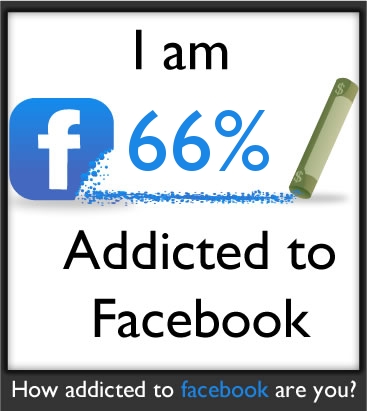
Have you ever heard been diagnosed of having a Facebook Addiction Disorder? If not, then you may want to reconsider. For you could be one of those who have recently been discovered to be contagious!
But wait, you can still prevent the spread of that deadly FB virus. That’s if you know how to detect the signs of the said disorder of which, in this post, has already been provided for you.
The Five Signs of Facebook Addiction:
Sign No.1 – You can’t last a week without checking your Facebook.
Sign No.2 – You log-in to your Facebook account for more than 2 hours a day.
Sign No.3 – You sneak on your work hours just to check your Facebook.
Sign No.4 – You stay up late at night just to check on your friend’s updated status.
Sign No.5 – You skip meals (or eat on desk) just to be on Facebook.
Thus, if you think that you have at least 3 of the signs above, then there’s no doubt that you’re truly addicted to facebook.
But there’s no need to panic because you can still decide to withdraw yourself from the said obsession. But that will only happen once you get to be so determined to limit your Facebook use.
Still not sure? Then, you can take this test from theoatmeal.com.
Do you want to know the process on how to delete your facebook account? Are you too tired of wasting your precious time on Facebook? Then read on.
Ah, Facebook! No doubt that it’s the most popular social network of today. You can add ‘a lot’ of friends (even those you don’t know) and you can play a whole bunch of games through applications. In short, you can create a virtual world of your own!
But when you happen to decide to go back to the real life and you realize that Facebook isn’t really your thing, you will certainly ask that one crucial question: “Where the heck is that delete button?”
Well, to tell you the truth…. It’s there, just hiding somewhere. But if you still plan on going back, you can always opt to deactivate your Facebook through these steps below:
To Deactivate your Facebook account, Log-in to Facebook then → Go to ACCOUNT → Account Settings → Deactivate Account.
Remember that the steps above won’t really delete your account. Instead, it will just put it into hibernation so you can freely go back whenever you decide to mingle around.
But if you’re still convinced to go off the hook, here’s how you can delete your Facebook:
To Permanently Delete Your Facebook, Log-in to Facebook then → Go to ACCOUNT → Help Center → (Type in the Search Box) “Delete Facebook Account” → (Click Search) → then follow the ‘guide image’ below. **Need more help? Just play the Guide Video at the bottom of this post.
Hope that helps you out! And if you want to share your reasons why you have deleted your Facebook, feel free to drop them at the comments below.
Learn how to remove facebook apps especially when you need them no more!
We all adore those handy-dandy Facebook applications. Well, who doesn’t? In fact, most of them are so addictive that we tend to spend most of our time doodling on them all. But what happens when you feel like you’re bored of your old dusty apps and have finally decided to stop your addiction?
That’s when you get hysterical because you don’t know how to remove facebook apps and they just spam you will all their notifications – but before that happens, here’s what you need to do:
Step 1: log in to your facebook account and go to that “top right” corner of your fb screen. See that ‘Account’ tab? Well, that’s where you need to go next. Click on it and go to ‘Privacy Settings’.
Step 2: so now that you’re on your ‘Privacy Settings’ – you must scroll ‘a bit’ down and locate that ‘Apps and Websites’ option. Tip: It’s on your lower left beside the ‘Block Lists’ option.
Step 3: on the ‘Apps and Websites’ – select ‘Edit Your Settings’. Then, find that phase that states ‘Apps you use’. Again, click on its ‘Edit Settings’ then select the app that you want to remove. Once you have selected the app, click on that ‘x’ button for the app to be removed.
And that’s it! You have successfully learned how to remove facebook apps. Got any questions? Feel free to drop a post.